By Rafiul Karim Chowdhury (Content Strategist & Writer) · Published · 4 min read · Products
Compare CRM options against your sales process, data needs, costs, and the practical work of adoption.
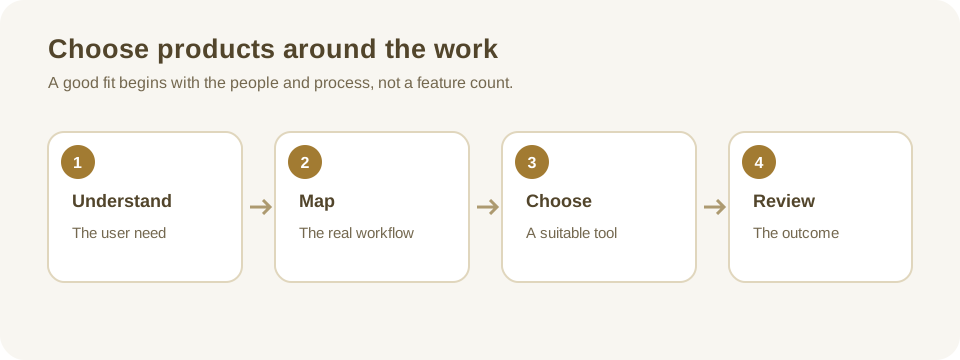
Define the problem before comparing products
Customer relationship management (CRM) software helps a team organize information and interactions with current and prospective customers. It can support sales, marketing, and service, but a long feature list does not guarantee a better customer experience. Begin by writing down a specific problem: enquiries are missed, follow-ups depend on one person's memory, or handoffs between sales and support lose context.
Follow a recent enquiry from arrival to resolution. Note who records it, what happens when the first contact is unavailable, and how the customer gets an update. Count avoidable handoffs or delays where possible. These observations form a baseline for evaluating whether the new system actually improves work.
Example: a small services team
Imagine a five-person service business receiving enquiries by email and telephone. Its immediate need is to assign an owner, schedule a follow-up, and record the outcome. A complex campaign automation suite may be less important than a dependable shared inbox, a simple pipeline, and an exportable customer list. Ask the staff who handle enquiries to test those tasks rather than relying only on a management demonstration.
Decide what information belongs in the system
List the minimum records and fields the team needs: organization or contact, enquiry source, owner, next action, date, and relevant communication history. Explain which fields are required and who can change them. Collect only information needed for a legitimate business purpose and agree how long it should be retained.
If existing records come from spreadsheets, identify duplicates and outdated contacts before importing. A CRM does not automatically make inaccurate data reliable. Assign an owner to resolve conflicting records, agree how to deal with incomplete entries, and test the import on a small copy first. Preserve a safe backup and check whether notes, attachments, and relationships survive the migration.
Compare the complete workflow
Give each supplier the same short scenarios: record a new enquiry, assign it, change the owner during an absence, find overdue work, and correct an incorrectly entered customer. Include exceptions such as an email notification failing or a customer asking for a correction. Ask users to complete the scenarios themselves using the roles they would have in production.
Review search, mobile usability, accessibility, reporting, and integration with existing email or accounting tools. Ask which features are included, which require an add-on, and whether integrations synchronize both ways. A demonstration of a single successful record does not establish that synchronization handles duplicates, failures, or changes made by both systems.
Estimate ownership and operating costs
Compare the initial setup, migration, training, user subscriptions, storage, integrations, support, and renewal terms over a realistic period. Ask whether pricing changes as users or records grow. Identify who can configure fields and permissions, who manages accounts, and how problems are escalated when the supplier or an integration is unavailable.
Check export formats and what they include. A CSV containing names but not history or attachments may be inadequate if the business later changes provider. Review access controls, multifactor authentication, audit options, backup responsibilities, and data-processing terms with the people responsible for security and privacy.
Run a limited pilot and decide
Choose a workflow and a small group of participants. Agree on a trial period, support contact, success criteria, and a way to return to the current process. Use synthetic data when feasible. Compare the number of unowned enquiries or overdue follow-ups with the baseline, and ask users which steps still require spreadsheets or duplicate entry.
Document unresolved gaps and their cost before signing. The best CRM is the one the team can operate and maintain for its actual work, not necessarily the product with the largest feature list. Continue with the business software pilot guide for a structured trial.
Make the evaluation repeatable
Give each candidate the same scorecard. Include the scenarios, the people who observed them, whether the task was completed without supplier assistance, and any workaround required. Record a separate assessment for access, support, migration, and total cost rather than combining everything into a single unexplained number. A product can score well on sales features and still be unsuitable if the business cannot export its data or restrict access to customer records.
Ask suppliers for a written response to unresolved questions. For example, can an authorized user recover a deleted record, and within what period? What happens when two staff edit the same contact? Can a user find conversations after an owner leaves? Confirm whether a promised capability is available in the version and subscription actually quoted, rather than a future roadmap or a separate product.
After the pilot, select an owner for ongoing data quality. Review a small sample of duplicate records and overdue activities each month, adjust required fields when they no longer serve a purpose, and remove accounts that are no longer needed. Revisit the original baseline after rollout. If follow-ups remain late, investigate whether the issue is the system, the process, workload, or training before buying another tool.
Further reading
The IBM overview of CRM and ERP describes how customer-facing and operational systems differ. Evaluate any supplier's specific claims against its current documentation and contract.
Questions or corrections about this article? Contact the editorial team.