By Rafiul Karim Chowdhury (Content Strategist & Writer) · Published · 4 min read · Products
Assess restaurant point-of-sale features by tracing orders, payments, exceptions, and the end-of-day close.
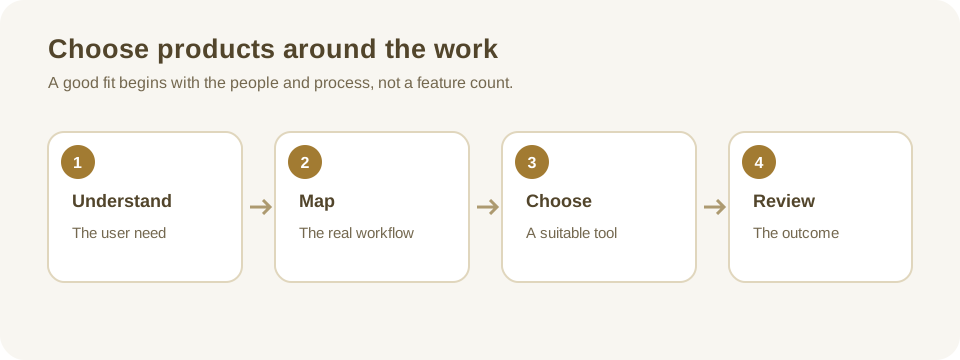
Follow an order from table to close
A restaurant point-of-sale (POS) system records sales and may coordinate menus, kitchen tickets, payments, and reporting. Products differ significantly, so start with the actual service model: counter service, table service, takeaway, delivery, or a combination. Observe a busy shift and identify where staff re-enter information or lose track of an order.
Map an order from selection through preparation, payment, correction, and close. Include the people responsible for each step. A system that looks quick during a demonstration may slow service if modifiers are hard to find or a corrected order is not clearly communicated to the kitchen.
Example: a changed order
A guest orders a meal with an ingredient omitted, then changes their mind before preparation. The server updates the order, the kitchen sees a clear change, and the final bill reflects what was actually supplied. Ask a supplier to demonstrate this flow, plus a cancellation after preparation and the permissions required to issue a refund.
Evaluate menus, modifiers, and kitchen communication
Check whether staff can organize menus, mark unavailable items, handle substitutions, and distinguish choices that affect price. Review how taxes, service charges, and discounts are configured for your location; confirm the correct treatment with your accountant or local adviser.
Kitchen display or printing features should show timing, modifiers, and order changes clearly. Test what happens if a printer disconnects or a ticket is sent twice. The team needs an obvious way to identify failed communication and recover without losing an order. If allergies are involved, software is only one part of a broader food-safety process; confirm the kitchen's procedures rather than assuming a screen prevents cross-contact.
Understand payments and access
Check supported payment methods, split bills, partial payments, refunds, and reconciliation. Ask which payment provider supplies the terminal, how charges are presented, and what happens when a payment succeeds but the POS response is delayed. Staff should know how to verify the transaction before retrying to avoid duplicate charges.
Do not store card details in notes or spreadsheets. Discuss payment security and the division of responsibilities with the payment provider. The PCI Security Standards Council's PCI DSS resources explain the relevant payment-card security standard; applicability and validation obligations depend on the payment arrangement.
Use individual staff accounts where practical and restrict discounts, voids, refunds, and configuration changes to authorized roles. Check that the system records who performed important actions and how managers investigate a discrepancy without sharing passwords.
Test reliability and integrations
Ask what functions work if the internet connection fails, which data is queued, and how the team confirms synchronization afterward. Offline capabilities differ by product and payment provider; do not assume offline card processing is available. Agree on a manual fallback and a way to reconcile transactions after recovery.
If online ordering, delivery marketplaces, inventory, or accounting are integrated, test menu changes, failed orders, cancellations, taxes, and duplicate records. Identify who supports each integration and how errors are surfaced. Review exports, data ownership, backup responsibilities, and the process for moving to another supplier.
Check reporting and reconciliation
A useful close-of-day report should help staff compare recorded orders, payment types, refunds, discounts, and cash on hand. Ask the supplier to explain what each total includes and how a void differs from a refund. Check whether a manager can find the original transaction and its later corrections. An apparently balanced report is not enough if the team cannot investigate an unusual adjustment.
If sales data is exported to accounting, agree on the timing and treatment of taxes, tips, service charges, and settlement fees. A card payment recorded during service may be settled by the provider later, and the two reports may use different dates. Reconcile a small set of real or test transactions with the restaurant's accountant before relying on an automated posting.
Also ask how menus are maintained across locations. A price change may apply to one branch but not another, and a temporary item may need to be removed from both the register and online ordering. Assign an authorized owner, review the effective time, and test the resulting receipt and kitchen ticket. The software should make it possible to spot a mismatch before service begins.
Compare the full cost and pilot a shift
Include software subscriptions, terminals, payment fees, support, installation, integrations, and replacement hardware in the comparison. Ask how pricing changes with more locations or registers and whether the restaurant can keep its data after cancellation.
Run a supervised pilot with realistic orders and the staff who will use the system. Record service delays, correction steps, and end-of-day differences. Decide whether issues are training gaps, configuration changes, or product limitations before expanding. The restaurant order workflow checklist provides additional scenarios.
Before signing, ask for a demonstration of the proposed support process. Who answers during a weekend shift, what information should staff provide, and can the restaurant continue taking orders while the problem is investigated? Document the answer alongside the fallback process and test it with a shift manager.
Questions or corrections about this article? Contact the editorial team.