By Rafiul Karim Chowdhury (Content Strategist & Writer) · Published · 4 min read · Products
Understand where customer relationship management and enterprise resource planning overlap, differ, and need to exchange information.
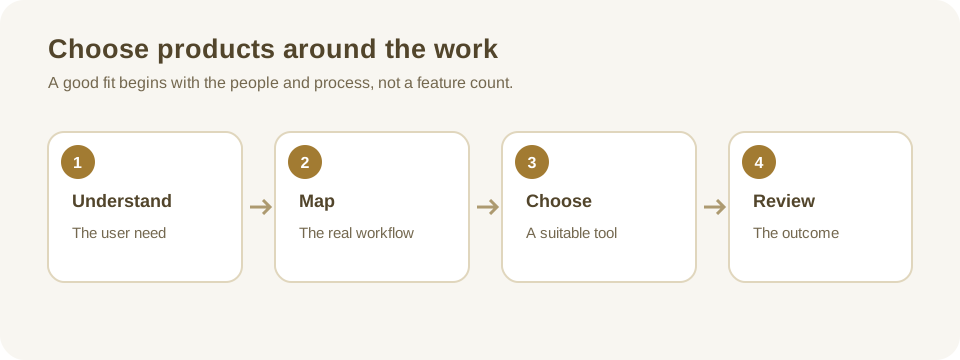
Start with the work each system supports
Customer relationship management (CRM) software focuses on relationships with prospects and customers. Teams commonly use it to record enquiries, manage opportunities, plan follow-ups, and track service interactions. Enterprise resource planning (ERP) software brings together internal operational processes such as finance, purchasing, inventory, and sometimes human resources.
These are broad categories, not rigid product boundaries. A particular ERP may include customer management, and a CRM may offer invoicing or inventory integrations. The relevant question is whether a product supports the workflow, controls, and reporting your organization needs, not whether its marketing label matches a checklist.
Compare a typical customer journey
A sales representative records an enquiry in the CRM and follows it through qualification and quotation. When an order is accepted, an ERP may manage stock allocation, purchasing, fulfillment, and accounting. Customer support may then need the order status alongside the earlier conversation.
That sequence illustrates a useful distinction: CRM emphasizes customer interactions and commercial opportunities, while ERP emphasizes coordinated resources and operations. It does not mean every business needs two products. A small operation may handle both processes in one application or use a simpler combination of tools.
Example: a growing distributor
A distributor misses follow-ups because each salesperson keeps a private spreadsheet. A CRM may help establish shared ownership and a visible pipeline. The same distributor also struggles to reconcile stock and purchase orders across locations. That second problem may call for inventory and finance capabilities typically associated with ERP. Prioritize whichever issue creates the greater operational risk, then plan the information exchange needed by the other team.
Compare records, users, and reporting
CRM records often include contacts, accounts, opportunities, activities, and support cases. ERP records may include items, stock movements, supplier orders, invoices, and ledger entries. Both may contain a customer record, but one system should have an agreed responsibility for each important field. For example, finance may own the billing address while sales maintains opportunity notes.
Reporting depends on definitions. A sales forecast is not the same as recognized revenue, and an order entered in a CRM is not necessarily fulfilled or paid. Before combining dashboards, agree what each measure means, its source, when it updates, and how corrections are handled.
Plan integrations around ownership and exceptions
Draw the handoff between systems: which event starts it, which fields move, who can see them, and what happens if the receiving system rejects a record. Use stable identifiers rather than matching solely by a customer name. Decide how duplicate records are detected and which system wins when the same field changes in both places.
Test a normal order, a cancelled order, an amended address, a failed connection, and a retry. Record errors where an operator can see and resolve them. Avoid assuming that a supplier's statement that two products “integrate” includes every record type, historical attachment, permission, or tax requirement you need.
Choose based on priorities, not labels
Map one customer-facing and one operational process, then rank problems by cost and risk. Invite staff from sales, operations, finance, and support to review the proposed workflow. Ask suppliers to demonstrate your examples, show export and access controls, and document recurring costs.
If you already have one system, check whether a supported module or integration can solve the next problem before replacing it. Pilot the highest-value workflow and agree on a rollback plan. Our small-business CRM selection guide covers the customer-management decision in more detail.
Questions to take into a demonstration
Ask the supplier to trace a single order from the first customer conversation through delivery and invoicing. Have a salesperson create the opportunity, an operations user check availability, and a finance user find the final invoice. Note where each person leaves the system, enters the same information again, or depends on a colleague to send an update.
Next, change the scenario. The customer requests a new delivery address after the order is submitted, an item becomes unavailable, or an invoice is corrected. Who can make the change, where is the history visible, and which teams are notified? An integration that succeeds only for the first version of an order may leave people acting on inconsistent information.
Request a clear division of responsibilities for implementation and ongoing support. Identify the owner of the integration, the person who reviews failed transfers, the retention period for logs, and the process for reconciling records after an outage. Include subscription and connector charges as well as implementation work in the comparison. If a third-party connector is involved, verify that it supports the product versions and record types in your proposed contract.
Treat combined reporting as a separate project. Agree the meaning of customer, order, and revenue before bringing data together. Sample a few records against both systems and investigate differences. This avoids giving decision-makers a polished dashboard that combines incompatible definitions or hides missing transactions.
Further reading
IBM's ERP and CRM comparison provides a vendor perspective on common functions and use cases. Product boundaries and integrations should be checked against current supplier documentation.
Questions or corrections about this article? Contact the editorial team.